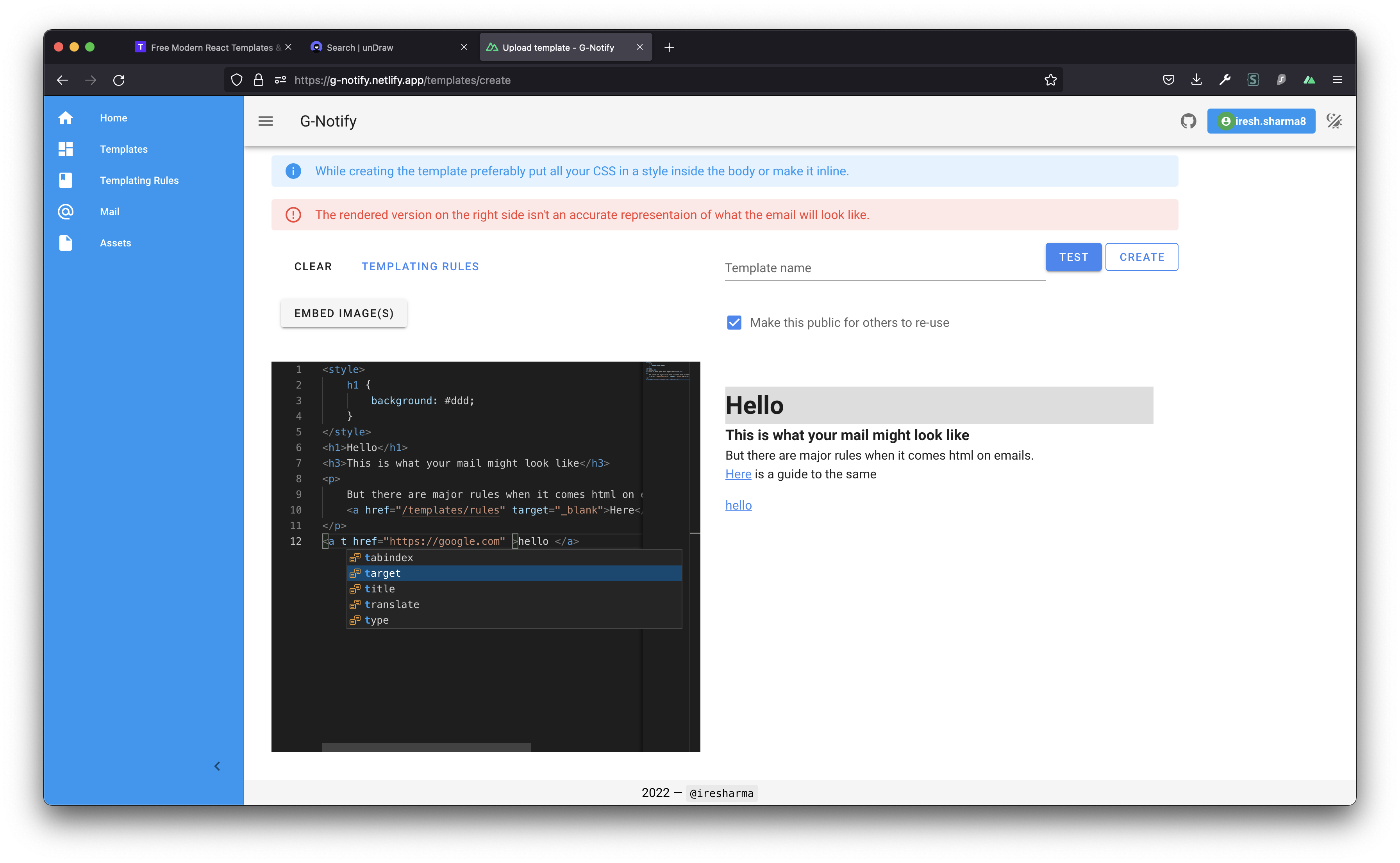
So You would have seen these websites with a full blown vs-code like text editor built into them right ? I mean look at websites like codesandbox or codedamn . Well my current project has a code editor need well there are a few options out there. Here's my journey of getting an actual vs-code like editor on the site.
1. DIY
Bad bad bad idea, I mean maybe with a couple of years in my hand could have been able to do it but no no no no.
2. Hacking with Hightlight.js
This was a better idea but still wasn't good, I was basically trying to capture user key presses and do some DOM manipulation to put them a in div which was running highlight.js . Well this solution worked sort of but 1 it was very very buggy and 2 it was a half baked solution.
3. Ace/Brace Editor
These turned out to be good alternatives to vs-code but they liked features and in general didn't a very convincing feel, apart from there lack of contextual autocomplete and visual appearance these were great choices
4. Monaco Editor
This is Microsoft's original veriosn of the viscose editor with all the quirks and features. Embedding this was fairly simple a two liner config change for Nuxt just to add a loader for it's ism files and voila it worked like a charm.
About the author
- Engineering building native Voice infra for salesforce by day, and hacking around awesome products by night
Comments
Join the discussionGood work ♥️ Iresh Sharma, here's my contribution for #netlify and #hashnode #hackathon 🚀